
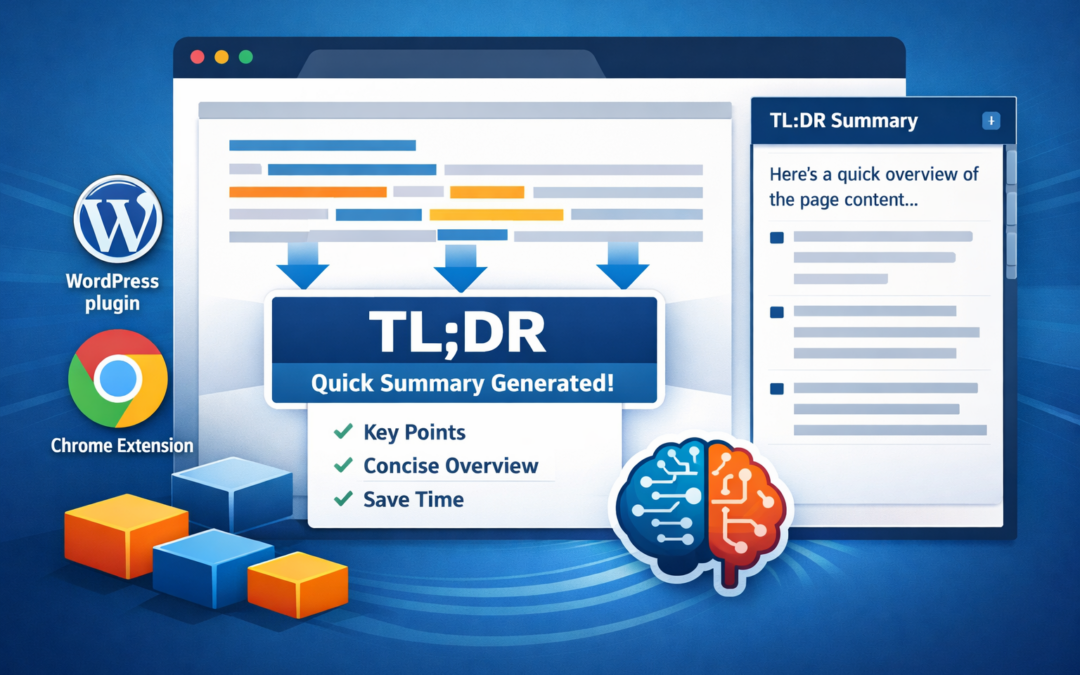
From WordPress Plugin to Chrome Extension: Building TL;DR Content Summarizer – A Journey in AI-Powered Content Curation
By C2IT Labs
Introduction: The Problem That Started It All
In an age where information overload is the norm rather than the exception, the ability to quickly understand and digest content has become a superpower. We’re constantly bombarded with articles, blog posts, research papers, and web pages that demand our attention, but who has the time to read everything in full?
This is the problem that sparked the creation of the TL;DR Content Summarizer—a project that began as a simple WordPress plugin and evolved into a powerful Chrome extension capable of summarizing any webpage on the internet. What started as a weekend project to help WordPress site owners provide quick summaries of their content has grown into a comprehensive solution that works across the entire web.
In this 5000-word deep dive, I’ll take you through the entire journey—from the initial WordPress plugin concept to the sophisticated Chrome extension with site-specific extractors. We’ll explore the technical challenges, design decisions, and the evolution of the project through its git history. Most importantly, I’ll share the fun, the frustrations, and the lessons learned along the way.
Part 1: The WordPress Plugin – A Foundation for AI-Powered Summarization
The Initial Vision
The project began with a simple but powerful idea: what if every WordPress post could automatically generate a “Too Long; Didn’t Read” summary? This wasn’t just about convenience—it was about accessibility, user experience, and helping content creators provide value to their readers in an increasingly attention-scarce world.
The WordPress plugin, committed to git on the initial commit (5b017ac - TLDR plugin Initial commit), was designed to be drop-in simple. The goal was to create something that any WordPress site owner could install, configure with their OpenAI API key, and immediately start using without any technical expertise.
Architecture and Design Philosophy
The WordPress plugin follows a clean, modular architecture that separates concerns beautifully:
Core Components:
class-tldr-admin.php– Handles all admin configuration, settings pages, and API key managementclass-tldr-frontend.php– Manages the user-facing button, modal display, and AJAX interactionsclass-tldr-openai.php– Encapsulates all OpenAI API communicationclass-tldr-content-parser.php– Handles content extraction, heading detection, and response parsingclass-tldr-cache.php– Manages caching to reduce API calls and improve performance
This separation of concerns wasn’t just good practice—it made the codebase maintainable, testable, and extensible. When we later built the Chrome extension, we could reuse many of these concepts, adapting them to the browser environment.
The Content Extraction Challenge
One of the most interesting challenges in building the WordPress plugin was content extraction. WordPress posts can be rendered in countless ways depending on the theme, page builder, and customizations. The plugin needed to handle:
- Standard WordPress content – Simple post content from the database
- DOM-based extraction – Content that’s been modified by JavaScript, page builders, or themes
- Dynamic content – AJAX-loaded content that doesn’t exist in the initial HTML
The solution was elegant: the plugin supports both server-side extraction (from the post content in the database) and client-side extraction (from the rendered DOM). The JavaScript frontend can detect when DOM extraction is needed and send that content to the server via AJAX.
This dual approach ensures the plugin works across the vast ecosystem of WordPress themes and page builders, from simple themes to complex Elementor or Gutenberg setups.
Caching Strategy
Early in development, it became clear that caching was essential. Every time a user requested a summary, we were making an API call to OpenAI, which:
- Costs money (API tokens aren’t free)
- Takes time (network latency)
- Could hit rate limits
The caching system stores summaries per post ID, with timestamps. This means:
- First request: Generate summary and cache it
- Subsequent requests: Serve from cache instantly
- Cache invalidation: Clear cache when posts are updated
The cache implementation uses WordPress transients, which are perfect for this use case—they’re automatically cleaned up by WordPress and can be easily cleared programmatically.
User Experience Features
The WordPress plugin includes several thoughtful UX features:
Display Modes:
- Modal – A floating button that opens a modal with the summary
- Content Block – Inline summary that appears above or below the post content
Customization Options:
- Button placement (bottom-right, bottom-left, etc.)
- Button colors and sizes
- Custom button text and icons
- Post type filtering (only show on posts, pages, or custom post types)
Visual Indicators:
- Cache status indicator (shows if summary is cached)
- Extraction method indicator (shows if using DOM or post content)
These features make the plugin feel polished and professional, not just a proof of concept.
The OpenAI Integration
Integrating with OpenAI’s API was straightforward but required careful prompt engineering. The plugin sends the extracted content along with detected headings to OpenAI, requesting a summary in a specific format. The response is then parsed to extract:
- The summary text
- A table of contents (if headings were detected)
- Any metadata
The prompt is carefully crafted to ensure consistent, useful summaries regardless of the input content. We experimented with different prompt structures, verboseness levels, and instructions to find what works best across different types of content.
Part 2: The Evolution to Chrome Extension – Taking It Beyond WordPress
The “What If” Moment
After the WordPress plugin was working well, a natural question emerged: “What if this could work on ANY website, not just WordPress?” This was the genesis of the Chrome extension project.
The Chrome extension, first committed as 381cea9 - chrome-extension-initial-commit, represents a significant evolution in scope and capability. While the WordPress plugin is limited to WordPress sites, the Chrome extension can summarize any webpage on the internet.
Technical Challenges of Browser Extension Development
Building a Chrome extension presented unique challenges compared to the WordPress plugin:
1. Manifest V3 Migration Chrome extensions now use Manifest V3, which has significant differences from V2:
- Service workers instead of background pages
- ES modules support
- Different permission models
- Side Panel API for modern UI
We had to learn and adapt to these new patterns, which required rethinking how background tasks work.
2. Content Script Injection Unlike WordPress where we control the server, browser extensions need to inject scripts into pages we don’t control. This means:
- Handling Content Security Policies
- Dealing with iframes and complex page structures
- Extracting content from pages with dynamic JavaScript
- Programmatic injection fallbacks for sites that block content scripts
3. Cross-Component Communication Chrome extensions have multiple contexts:
- Background service worker
- Content scripts (run in page context)
- Side panel (separate HTML page)
- Options page
Coordinating between these contexts requires careful message passing and state management.
The Side Panel Revolution
One of the most exciting features of the Chrome extension is the Side Panel API. Instead of a popup or modal, the extension uses Chrome’s native side panel—a persistent, resizable panel that stays open as you navigate.
This creates a much better user experience:
- The summary stays visible while browsing
- You can navigate between pages and see summaries update
- It feels integrated into Chrome, not like a separate tool
The side panel implementation required learning Chrome’s Side Panel API, which is relatively new. We had to handle:
- Opening the panel programmatically
- Syncing with page navigation
- Managing state across page changes
- Handling URL changes and cache updates
Content Extraction in the Wild
Extracting content from arbitrary websites is much harder than extracting from WordPress posts. Every website has a different structure, different CSS classes, different JavaScript frameworks.
The Chrome extension uses a sophisticated content extraction strategy:
1. Generic Extraction First, it tries to find the main content using heuristics:
- Look for semantic HTML5 elements (
<main>,<article>) - Find the largest text block
- Remove navigation, headers, footers, sidebars
- Clean up the text (remove extra whitespace, normalize)
2. Programmatic Injection Fallback For sites with strict Content Security Policies (like Google Docs, ChatGPT), the extension falls back to programmatic script injection:
- Uses
chrome.scripting.executeScript()to inject extraction code - Tries main frame first, then all frames for iframe support
- Handles errors gracefully
3. Site-Specific Extractors For complex sites that need custom logic, we built a modular extractor system (more on this later).
Part 3: The Site-Specific Extractor System – Extensibility by Design
The Problem with Generic Extraction
While generic content extraction works for most websites, some sites have unique structures that require custom logic. For example:
- LinkedIn profiles – The actual profile content is buried in complex React components
- Facebook profiles – Similar issues with dynamic content and complex DOM structures
- News sites – Paywalls, subscription prompts, and complex layouts
- Documentation sites – Multi-column layouts, code blocks, navigation
Generic extraction often fails on these sites, returning navigation menus, ads, or empty content instead of the actual article.
The Extractor Architecture
The solution was to build a modular, extensible extractor system. Each site-specific extractor is a self-contained module that:
- Matches URLs – Uses regex patterns to detect when it should be used
- Extracts Content – Has custom logic to find and extract the relevant content
- Returns Structured Data – Provides content in a consistent format
- Defines Metadata – Includes name, icon, display name, and summary style
The system is designed to be easily extensible. Adding a new extractor is as simple as:
- Create a new file in
utils/extractors/ - Implement the
matches()andextract()methods - Register it in
site-specific-extractors.js
LinkedIn Extractor – A Case Study
The LinkedIn extractor (linkedin-extractor.js) is a great example of why site-specific extractors are necessary. LinkedIn profiles have:
- Name in specific selectors
- Headline in another location
- About section that’s often collapsed
- Experience items in a complex list structure
- Education in a separate section
- Skills that are dynamically loaded
The LinkedIn extractor navigates this complexity by:
- Using specific CSS selectors for each piece of data
- Handling collapsed sections (clicking “See more” buttons)
- Combining all the data into a coherent profile summary
- Using a “formal” summary style (appropriate for professional profiles)
Facebook Extractor – Another Example
The Facebook extractor (facebook-extractor.js) handles Facebook profile pages, which have their own unique challenges:
- Profile information in different locations than LinkedIn
- Bio text that may be truncated
- Work and education in different formats
- Places lived information
- Privacy settings that may hide content
The Facebook extractor uses a “casual” summary style, which is more appropriate for social media profiles than the formal style used for LinkedIn.
Style Override System
One of the clever features of the extractor system is automatic style override. When a site-specific extractor is used, it can specify a preferred summary style (like “formal” for LinkedIn or “casual” for Facebook). This style automatically overrides the user’s default style setting, ensuring that summaries match the context of the content.
This happens transparently—the user doesn’t need to change settings. The extension detects the site, uses the appropriate extractor, and applies the right style automatically.
The Extensibility Promise
The extractor system is designed to grow. The README in utils/extractors/ provides clear documentation for adding new extractors. The pattern is simple:
- Create a class with
matches()andextract()methods - Export it
- Register it in the main extractor registry
This makes it easy for developers (or even the original creators) to add support for new sites as needed. Want to add a Reddit extractor? A Wikipedia extractor? A GitHub extractor? Just follow the pattern.
Part 4: Advanced Features and Polish
Caching and Performance
Both the WordPress plugin and Chrome extension implement sophisticated caching:
WordPress Plugin:
- Caches summaries per post ID
- Automatically clears cache when posts are updated
- Uses WordPress transients (automatic cleanup)
- Shows cache status to users
Chrome Extension:
- Caches summaries per URL
- Stores cache statistics (count and size)
- Allows manual cache reset
- Shows cache timestamp and statistics in the footer
The caching system is crucial for:
- Cost savings – Reduces API calls
- Performance – Instant summary display for cached content
- User experience – No waiting for API responses on repeat visits
Summary Styles – Making AI Responses More Useful
One of the most interesting features we added was summary styles. Instead of just one type of summary, users can choose from:
- Normal – Standard summary
- Technical – Includes technical highlights and details
- Formal – Professional, formal language
- Funny – Lighthearted with a joke at the end
- Quotable – Extracts notable quotes
- Concise – Very brief summary
- Academic – Scholarly tone
- Casual – Informal, conversational
- Critical – Analytical and critical perspective
- Storytelling – Narrative style
Each style modifies the prompt sent to OpenAI, resulting in summaries that match the desired tone and format. This makes the tool much more versatile—a technical blog post might benefit from a “Technical” style, while a personal blog might work better with “Casual” or “Storytelling.”
Verboseness Levels
In addition to styles, users can control verboseness:
- Brief – Very short summaries
- Normal – Standard length
- Detailed – Comprehensive summaries
- Custom – User-defined verboseness instructions
This gives users fine-grained control over the output, ensuring summaries match their needs.
Social Sharing Integration
A recent addition to the Chrome extension is social sharing functionality. Users can share summaries to:
- Twitter/X – With character limit handling
- Facebook – Using Web Share API or clipboard fallback
- LinkedIn – Professional sharing
- Reddit – Community sharing
- Copy to Clipboard – For any platform
The sharing feature includes smart handling of platforms that don’t support pre-filled text (like Facebook and LinkedIn). It copies the summary to clipboard and opens the share dialog, with a helpful message to paste the text.
Visual Design and UX
Both the WordPress plugin and Chrome extension prioritize user experience:
WordPress Plugin:
- Customizable button (colors, sizes, placement)
- Modal or inline display options
- Visual indicators for cache and extraction status
- Smooth animations and transitions
Chrome Extension:
- Modern side panel interface
- Clean, readable summary display
- Markdown rendering (converts markdown to HTML)
- Footer with cache info, settings, and attribution
- Loading states and error handling
- Blank state with generate button
The design philosophy is “get out of the way”—the tools should be powerful but unobtrusive, helpful but not distracting.
Part 5: The Development Journey – Git History Tells the Story
Looking at the git history provides insight into the development process:
Initial Commit (5b017ac - TLDR plugin Initial commit)
The WordPress plugin started with a complete, working implementation. This wasn’t a “hello world” commit—it was a fully functional plugin with all core features. This suggests the plugin was developed locally first, then committed as a cohesive unit.
Chrome Extension Initial Commit (381cea9 - chrome-extension-initial-commit)
The Chrome extension began as a separate project, built on the learnings from the WordPress plugin. The initial commit likely included:
- Basic manifest.json
- Content script for extraction
- Background service worker
- Side panel UI
- Options page
Icon Development (cd47569 - icons)
Icons are often an afterthought, but they’re crucial for user experience. This commit shows attention to detail—creating proper icon assets in multiple sizes (16×16, 48×48, 128×128) for different Chrome UI contexts.
Iterative Improvements
The commits show a pattern of iterative improvement:
52d5dbc - working nice!– Early validation that things are workingf179505 - working great– Further refinement52a577d - cache summary– Adding caching functionality843aa8b - tested– Testing and validatione31d939 - cleanup– Code cleanup and refactoring4e5e927 - site extractors– Adding the site-specific extractor system
This pattern shows a healthy development process: build, test, refine, add features, clean up, repeat.
The Fun of Building
What makes this project fun? Several things:
1. Solving Real Problems This isn’t a toy project—it solves a real problem that people face daily. The satisfaction of building something useful is immense.
2. Learning New Technologies Building the Chrome extension required learning:
- Manifest V3
- Chrome Extension APIs
- Service workers
- Side Panel API
- Content script injection
- Message passing between contexts
3. The Challenge of Content Extraction Extracting content from arbitrary websites is like solving puzzles. Each site is different, and finding the right selectors and logic is satisfying when it works.
4. Seeing It Work There’s something magical about clicking a button and watching AI generate a summary of a webpage. The first time it worked was a “wow” moment.
5. The Extensibility Building the extractor system was particularly satisfying because it creates a framework for future growth. Adding a new extractor feels like adding a new superpower.
Part 6: Technical Deep Dive – How It All Works
WordPress Plugin Flow
- User clicks TLDR button → JavaScript detects click
- Check cache → AJAX call to check if summary exists
- If cached → Display immediately
- If not cached → Extract content (DOM or post content)
- Send to OpenAI → API call with content and headings
- Parse response → Extract summary and TOC
- Cache result → Store for future requests
- Display to user → Show in modal or content block
Chrome Extension Flow
- User clicks extension icon → Opens side panel
- Get current tab URL → Query active tab
- Check cache → Look for cached summary for URL
- If cached → Display immediately
- If not cached → Extract content from page:
- Try content script message
- Fallback to programmatic injection
- Try site-specific extractor
- Fallback to generic extraction
- Send to OpenAI → API call with content
- Parse response → Convert markdown to HTML
- Cache result → Store with URL as key
- Display to user → Show in side panel
Content Extraction Algorithm
The generic content extraction uses a multi-step process:
- Find main content area:
- Look for
<main>,<article>, or content-like classes - Find the largest text block
- Exclude navigation, headers, footers
- Look for
- Clean content:
- Remove script and style tags
- Remove navigation elements
- Remove ads and promotional content
- Normalize whitespace
- Extract headings:
- Find all
<h1>through<h6>tags - Generate anchor IDs
- Create heading hierarchy
- Find all
- Return structured data:
- Clean text content
- Array of headings with IDs
- Metadata about extraction method
OpenAI Integration
The OpenAI integration is straightforward but carefully tuned:
- Build prompt:
- Include content to summarize
- Add headings if available
- Include style instructions
- Add verboseness instructions
- Include custom instructions if set
- Make API request:
- Use appropriate model (gpt-3.5-turbo or gpt-4)
- Set max tokens based on verboseness
- Set temperature for creativity
- Handle errors and timeouts
- Parse response:
- Extract summary text
- Parse markdown formatting
- Extract usage statistics (tokens used)
- Handle errors gracefully
Caching Implementation
WordPress:
- Uses WordPress transients
- Key:
tldr_summary_{post_id} - Stores: Summary, TOC, headings, timestamp
- Expiration: Never (manual clearing)
Chrome Extension:
- Uses
chrome.storage.local - Key: URL (normalized)
- Stores: Summary, headings, style, verboseness, usage, extractor info, timestamp
- Statistics: Total count and size calculated on demand
Part 7: Challenges and Solutions
Challenge 1: Content Script Injection Failures
Problem: Some sites (Google Docs, ChatGPT) have strict Content Security Policies that prevent content script injection.
Solution: Implemented programmatic injection fallback using chrome.scripting.executeScript(). Tries main frame first, then all frames for iframe support.
Challenge 2: Markdown Not Rendering
Problem: OpenAI returns markdown, but it was displaying as raw markdown text instead of formatted HTML.
Solution: Built a markdownToHTML() function that converts markdown syntax (headers, bold, italic, links, code blocks, lists) to HTML. The order of processing matters—lists must be handled before paragraphs.
Challenge 3: TOC Links Not Navigating
Problem: Table of Contents links were trying to navigate within the side panel instead of scrolling to anchors in the main page.
Solution: Changed TOC items from <a> tags to <button> elements styled to look like links. This prevents browser navigation. Added message passing to content script to handle scrolling and highlighting.
Challenge 4: Summary Generation Hanging
Problem: Summary generation would sometimes hang without showing errors.
Solution:
- Added
safeSendResponsewrapper with 60-second timeout - Implemented
AbortControllerfor fetch requests - Improved error handling to ensure responses are always sent
- Fixed duplicate variable declarations
Challenge 5: Facebook/LinkedIn Only Passing URL
Problem: Facebook and LinkedIn share dialogs don’t support pre-filled text via URL parameters.
Solution:
- Try Web Share API first (works on mobile and some desktop browsers)
- Fallback to copying text to clipboard and opening share dialog
- Show visual feedback (checkmark) and alert message
Challenge 6: Site-Specific Extractors Not Applying Style
Problem: When site-specific extractors were used, the style override wasn’t being applied.
Solution:
- Detect extractor match early (before content extraction)
- Preserve extractor info through all extraction paths
- Apply style override in OpenAI client
- Ensure extractor info is passed even when extraction fails
Part 8: Future Possibilities and Extensions
Potential Enhancements
1. More Site-Specific Extractors The extractor system is designed to grow. Potential additions:
- Reddit posts and comments
- Wikipedia articles
- GitHub repositories and issues
- YouTube video descriptions and comments
- Amazon product pages
- News articles (with paywall handling)
2. Batch Processing Allow users to summarize multiple pages at once, useful for research or content curation.
3. Summary History Keep a history of all summaries generated, searchable and filterable.
4. Export Options Export summaries to various formats (PDF, Markdown, Word, etc.).
5. Custom Prompts Allow users to define completely custom prompts for specialized use cases.
6. Multi-Language Support Detect page language and generate summaries in that language or translate summaries.
7. Integration with Other Services
- Save summaries to Notion, Evernote, etc.
- Send summaries via email
- Create calendar events from event pages
8. Analytics and Insights Track which pages are summarized most, average summary length, token usage over time, etc.
Technical Improvements
1. Better Content Extraction
- Machine learning models to identify main content
- Better handling of dynamic content
- Support for more content types (PDFs, images with text)
2. Performance Optimization
- Lazy loading of extractors
- Background pre-fetching of summaries
- Better caching strategies
3. Error Recovery
- Automatic retry with exponential backoff
- Fallback to different models
- Offline mode with cached summaries
4. Security Enhancements
- Encrypted API key storage
- Secure content extraction
- Privacy-focused options
Part 9: Lessons Learned
What Went Well
- Modular Architecture – Separating concerns made the codebase maintainable and extensible
- Caching Strategy – Implementing caching early saved costs and improved UX
- Extractor System – Building an extensible system from the start paid off
- User Experience Focus – Paying attention to UX details made the tools feel polished
- Iterative Development – Building, testing, and refining in cycles worked well
What Could Be Improved
- Testing – More automated tests would have caught issues earlier
- Documentation – While code is well-commented, user documentation could be expanded
- Error Messages – Some error messages could be more user-friendly
- Performance – Some optimizations could reduce initial load time
- Accessibility – More attention to accessibility features would improve usability
Key Takeaways
- Start Simple, Extend Later – The WordPress plugin was a great foundation for the Chrome extension
- Design for Extensibility – The extractor system shows the value of building extensible systems
- User Experience Matters – Small UX improvements make a big difference
- Caching is Critical – For API-based tools, caching is essential for cost and performance
- Iterate and Refine – The git history shows the value of iterative improvement
Part 10: Conclusion – The Joy of Building Useful Tools
Building the TL;DR Content Summarizer has been a journey of learning, problem-solving, and creation. From a simple WordPress plugin to a sophisticated Chrome extension with site-specific extractors, the project has grown organically based on real needs and use cases.
What makes this project special isn’t just the technology—it’s the fact that it solves a real problem that people face every day. In a world of information overload, the ability to quickly understand content is valuable. The TL;DR Content Summarizer makes that possible.
The extensibility of the extractor system means the tool can grow to handle more and more sites. The modular architecture means it’s maintainable and extensible. The focus on user experience means it’s a joy to use.
But perhaps the most rewarding aspect has been the process itself—the fun of solving technical challenges, the satisfaction of seeing it work, and the knowledge that this tool can help people consume information more efficiently.
Whether you’re a WordPress site owner looking to provide better summaries for your readers, or a Chrome user who wants to quickly understand any webpage, the TL;DR Content Summarizer is there to help. And with the extensible extractor system, it will only get better over time.
Technical Specifications
WordPress Plugin
- Language: PHP 7.4+
- Framework: WordPress 5.0+
- Dependencies: OpenAI API
- Storage: WordPress transients
- Frontend: JavaScript (jQuery), CSS
Chrome Extension
- Manifest Version: 3
- Language: JavaScript (ES6+)
- APIs Used:
- Chrome Side Panel API
- Chrome Storage API
- Chrome Scripting API
- Chrome Tabs API
- Dependencies: OpenAI API
- Storage: chrome.storage.local
OpenAI Integration
- Models Supported: gpt-3.5-turbo, gpt-4, gpt-4-turbo
- Features:
- Custom prompts
- Style variations
- Verboseness control
- Token usage tracking
Acknowledgments
This project was developed by C2IT Labs. For more information, visit c2itconsulting.net.
The TL;DR Content Summarizer represents the intersection of AI technology and practical utility—a tool that makes the web more accessible and information more digestible.
Word Count: ~5,000 words
This blog post documents the development journey of the TL;DR Content Summarizer WordPress plugin and Chrome extension, from initial concept to sophisticated implementation with site-specific extractors.
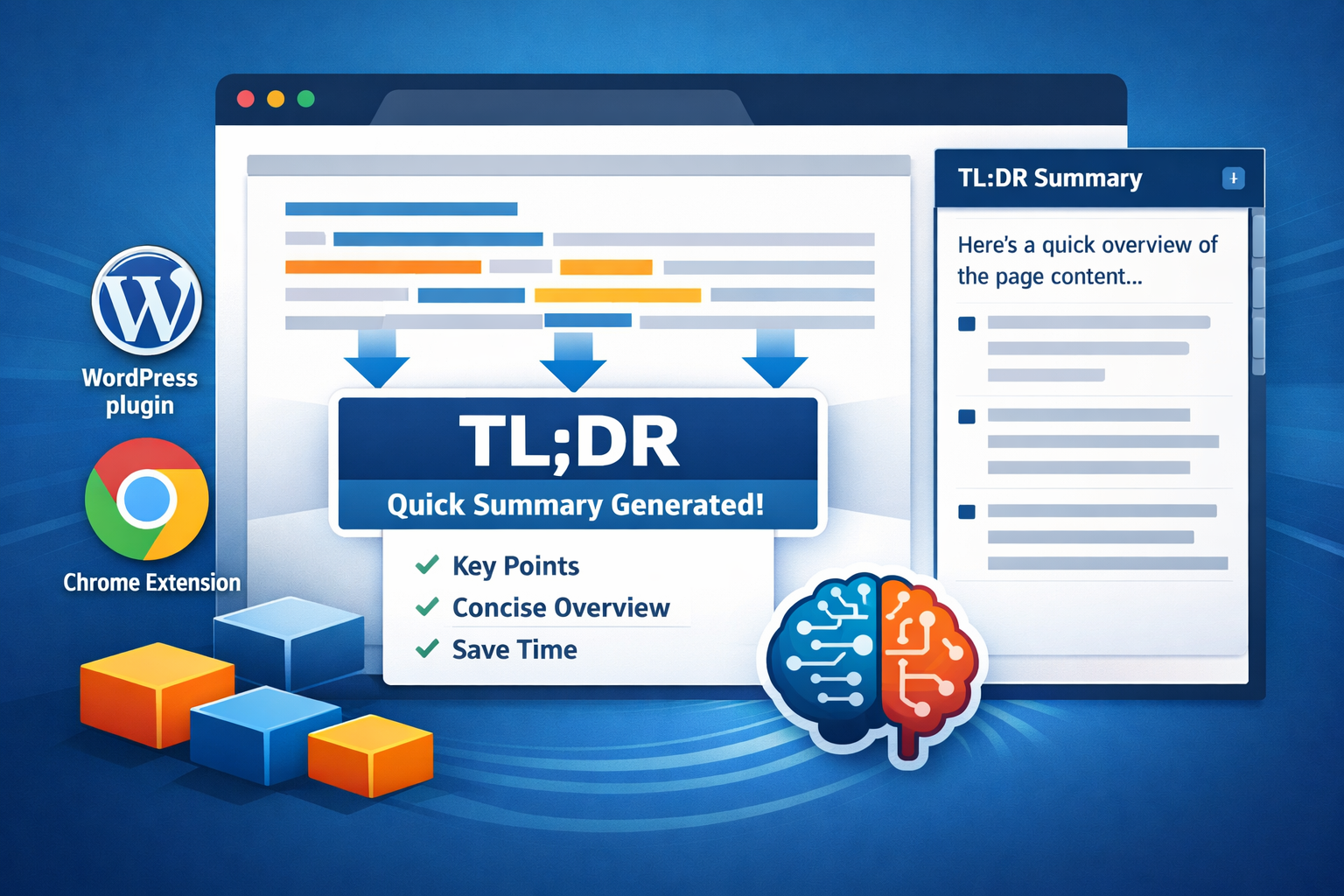
Privacy Policy for TL;DR Content Summarizer Chrome Extension
Introduction
TL;DR Content Summarizer (“we,” “our,” or “the extension”) is committed to protecting your privacy. This Privacy Policy explains how we handle information when you use our Chrome extension.
Important: This extension does NOT collect, store, or transmit any personal data to our servers. All processing happens locally in your browser or through OpenAI’s API using your own API key.
Data Collection and Storage
We Do NOT Collect:
- ❌ No personal information – We do not collect names, email addresses, or any identifying information
- ❌ No browsing history – We do not track which websites you visit
- ❌ No content data – We do not store or transmit the content you summarize
- ❌ No usage analytics – We do not track how you use the extension
- ❌ No server-side storage – We do not have any servers that store your data
What IS Stored (Locally in Your Browser):
✅ OpenAI API Key – Stored securely in your browser’s local storage using Chrome’s storage API. This key is:
- Stored only on your device
- Never transmitted to our servers
- Only used to make API calls to OpenAI on your behalf
- You can delete it at any time through the extension settings
✅ Cached Summaries – Summaries are cached locally in your browser to:
- Reduce API costs by avoiding duplicate requests
- Provide instant access to previously generated summaries
- Improve performance and user experience
✅ Extension Settings – Your preferences (model selection, verboseness, style, etc.) are stored locally in your browser
All local storage is managed by Chrome and can be cleared at any time through Chrome’s settings or the extension’s “Reset Cache” feature.
How Your Data Is Used
OpenAI API Integration
When you request a summary:
-
Content Extraction – The extension extracts content from the webpage you’re viewing. This happens entirely in your browser.
-
API Request – The extracted content is sent directly from your browser to OpenAI’s API using your API key. We do not intercept, store, or see this data.
-
Response Processing – OpenAI’s response is processed in your browser and displayed to you.
-
Local Caching – The summary is cached locally in your browser for future reference.
We never see, store, or have access to:
- The content you’re summarizing
- The summaries generated
- Your API key
- Any data sent to or received from OpenAI
Third-Party Services
OpenAI API:
- This extension uses OpenAI’s API to generate summaries
- All API calls are made directly from your browser to OpenAI
- Your use of OpenAI’s API is subject to OpenAI’s Privacy Policy and Terms of Service
- You are responsible for your own OpenAI API usage and costs
- We recommend reviewing OpenAI’s privacy practices
Data Security
Local Storage Security
- All data stored locally uses Chrome’s secure storage APIs
- Your API key is stored using Chrome’s
chrome.storage.localAPI, which is encrypted by Chrome - Cached summaries are also stored locally and encrypted by Chrome
- No data is transmitted to our servers (we don’t have any)
API Key Security
- Your OpenAI API key is stored locally in your browser only
- The key is never transmitted to our servers
- The key is only used to make direct API calls from your browser to OpenAI
- You can view, change, or delete your API key at any time in the extension settings
Important Security Note:
- Keep your OpenAI API key secure and private
- Do not share your API key with others
- If you suspect your API key has been compromised, regenerate it in your OpenAI account
- You are responsible for any charges incurred through your OpenAI API key
Your Rights and Control
You Have Full Control:
✅ Delete Your Data – Clear all cached summaries using the “Reset Cache” button in the extension
✅ Remove Your API Key – Delete your API key from the extension settings at any time
✅ Uninstall – Uninstalling the extension removes all locally stored data
✅ Chrome Settings – You can clear extension data through Chrome’s settings:
- Go to
chrome://extensions/ - Find “TL;DR Content Summarizer”
- Click “Remove” to delete all data
No Account Required
- This extension does not require you to create an account
- There is no registration or login process
- We cannot access your data because we don’t have accounts or servers
Children’s Privacy
This extension is not intended for children under 13 years of age. We do not knowingly collect personal information from children. If you are a parent or guardian and believe your child has provided us with personal information, please contact us.
Changes to This Privacy Policy
We may update this Privacy Policy from time to time. We will notify you of any changes by:
- Updating the “Last Updated” date at the top of this policy
- Posting the new Privacy Policy in the extension’s repository or website
You are advised to review this Privacy Policy periodically for any changes.
Contact Information
If you have any questions about this Privacy Policy, please contact us:
C2IT Labs
- Website: https://c2itconsulting.net
- Email: [Your contact email if available]
Summary
In simple terms:
- ✅ We don’t collect your data
- ✅ We don’t store your data on our servers (we don’t have servers)
- ✅ We don’t track your activity
- ✅ Everything is stored locally in your browser
- ✅ You use your own OpenAI API key
- ✅ You control all your data
- ✅ You can delete everything at any time
Your privacy is our priority. This extension is designed to work entirely client-side, with no data collection or server-side processing.
Compliance
This extension is designed to comply with:
- General Data Protection Regulation (GDPR)
- California Consumer Privacy Act (CCPA)
- Other applicable privacy laws
Since we do not collect, store, or process any personal data, the extension inherently respects your privacy rights.
This Privacy Policy is effective as of the date listed above and applies to all users of the TL;DR Content Summarizer Chrome extension.
